Fatigue rules
Fatigue rules let you define the hours, rest, and scheduling limits that apply to workers in each position. Subshift evaluates these rules before every shift offer — workers who would breach a limit are flagged automatically so you can take action before a placement happens.
When to use fatigue rules
Fatigue rules are most important when your agency operates in a regulated sector — driving, healthcare, security — where working-time limits have legal force. They are also useful in any sector where you want to manage worker welfare and reduce the risk of over-hours placements.
Every position must have a fatigue rule assigned before shifts can be created for it. This ensures no worker is ever offered a shift without their hours being checked.
Note
Out-of-the-box templates
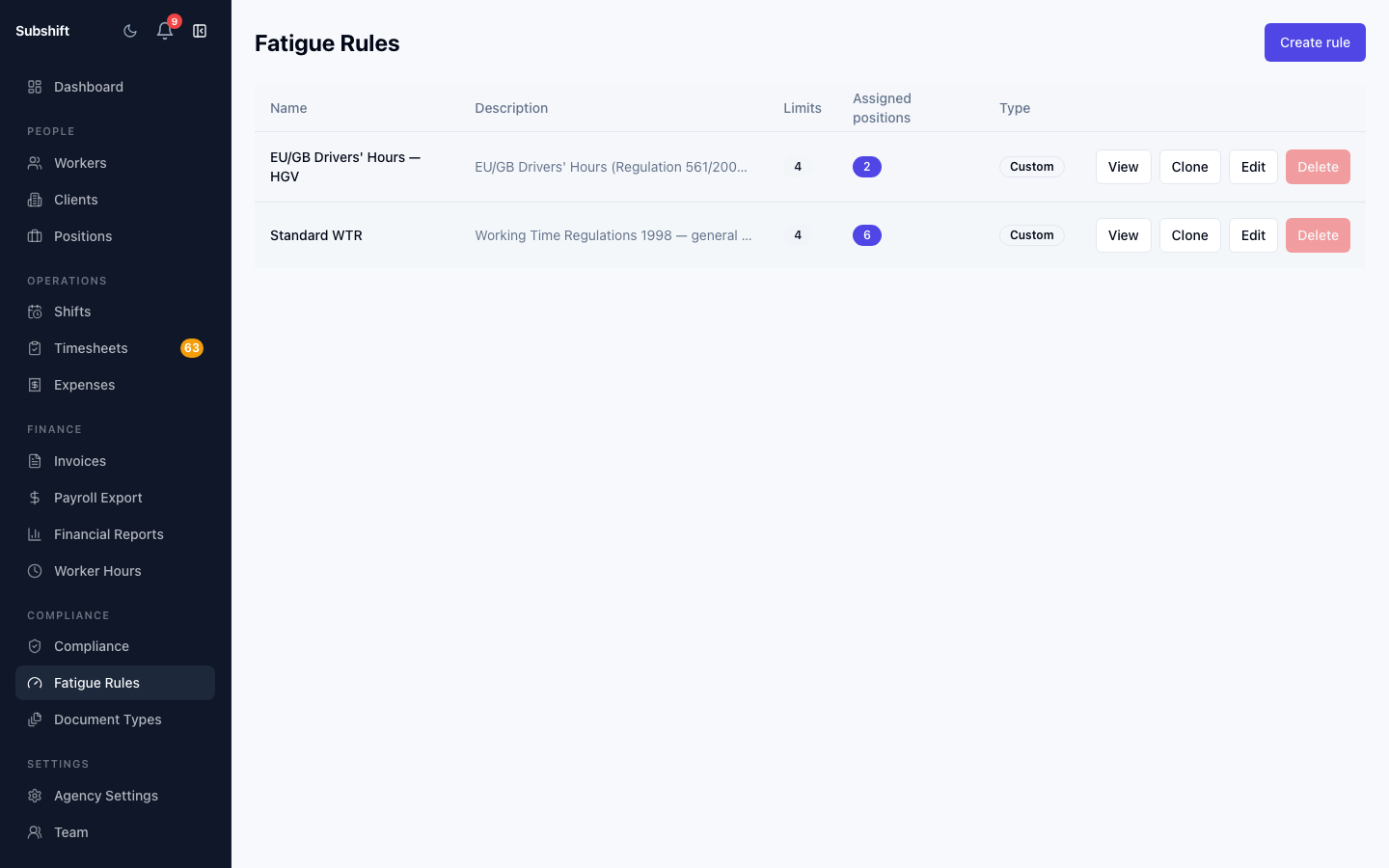
Subshift ships with two read-only template rules that cover the most common UK regulated sectors:
- EU/GB Drivers' Hours — captures the core daily and weekly driving limits under EU Regulation 561/2006 and the GB domestic drivers' hours rules, including required rest periods, consecutive day limits, and maximum shift duration.
- Standard WTR — implements the Working Time Regulations 1998 weekly limit (48 hours), minimum daily rest (11 hours), consecutive working day limits, and maximum shift duration.
Templates are read-only and cannot be edited or deleted. To customise a template for your agency's specific requirements, clone it — this creates an editable copy you can adjust and assign to positions.
Four limit types
Each rule is made up of one or more limits. There are four configurable limit types:
- Window limit — caps the total hours worked within a rolling time window (e.g. no more than 48 hours in any 7-day window).
- Minimum rest — requires a minimum gap between the end of one shift and the start of the next (e.g. at least 11 hours of daily rest).
- Max consecutive days — limits the number of consecutive calendar days a worker can be placed on shifts (e.g. no more than 6 days in a row before a rest day is required).
- Max shift duration — caps the length of a single shift (e.g. no shift longer than 10 hours). Useful for sectors where individual shift length is regulated independently of weekly totals.
BLOCK vs WARN severity
Each limit has a severity:
- BLOCK — the worker cannot be placed on the shift at all without an explicit manager override. This is appropriate for hard legal limits.
- WARN — the breach is surfaced as a warning on the shift group page, but placement proceeds. Use this for advisory limits or internal guidelines rather than hard legal requirements.
On the shift group detail page, each slot shows a fatigue badge: green (no breach), amber (WARN), or red (BLOCK). Slots with a BLOCK badge require an override before they can be considered filled.
Worker opt-out
Individual limits can be marked as opt-outable when you configure a fatigue rule. When a limit is opt-outable, workers can choose to opt out of that specific limit in their app — for example, a worker may opt out of the WTR 48-hour weekly average if they have signed a valid opt-out agreement with the agency.
Workers manage their own opt-out preferences. The agency can view each worker's current opt-out status on the worker detail page, but cannot change it on their behalf. If a worker has opted out of a limit, that limit is skipped during fatigue evaluation for that worker.
Note
Per-shift override
When a BLOCK breach occurs, a manager can override it for that specific shift slot. The override requires a reason (from a fixed list) and an optional free-text note. All overrides are recorded in the audit log with the manager's identity, the reason, and the note.
Warning
Related
- Creating a fatigue rule — clone a template and customise the limits
- Assigning rules to positions — bind a rule to a position
- Overriding a block — how per-shift override works and what gets audited
- Positions — how positions and fatigue rules work together